Is VN App Suitable for Beginners
The short answer is yes VN Video Editor is exceptionally suitable for beginners. Starting a video editing journey often feels overwhelming due to cluttered interfaces complicated software layouts and paid feature barriers. VN App eliminates these hurdles by delivering an intuitive workspace that welcomes new creators while providing room to grow.
The software balances simple tap based tools with advanced capabilities so beginners can start cutting clips within minutes. You do not need prior visual editing experience to assemble raw video footage into polished social media clips.
Why Beginners Love Using VN App
Several key elements make this VN App application an ideal entry point for absolute beginners. First the interface displays a clean track layout where video audio and text channels are clearly separated. This straightforward layout helps new editors understand how different layers interact without getting confused by hidden menus.
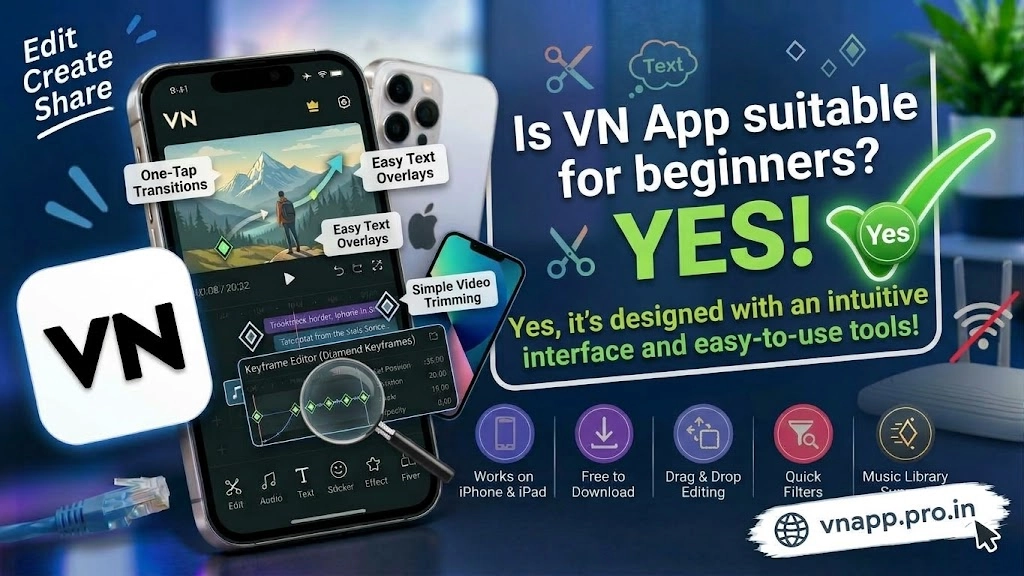
Second the application offers pre-designed project templates and automated tools.Beginners can import their clips into ready-made templates that automatically trim footage and sync cuts to background audio rhythms. This feature allows new creators to publish engaging reels immediately while slowly learning manual timeline techniques at their own comfortable pace.
Beginner Experience Comparison Matrix
To see how VN Video Editor compares with other entry level video editing tools review the comparison table below.
| Platform Feature | VN Video Editor | Complex Pro Software | Basic Quick Editors |
| Interface Layout | Clean Layered Multi Track | Dense Cluttered Menus | Overly Simple Single Track |
| Learning Curve | Low To Moderate Progress | High Time Investment | Extremely Low Room To Grow |
| Pre-Made Templates | Rich Library Included | Limited Default Presets | Basic Automated Clips |
| Watermark Barriers | Zero Export Watermarks | Watermarked Free Plans | Forced Branding On Exports |
| Advanced Room To Grow | High Skill Capacity | High Skill Capacity | Very Limited Capabilities |
How a Beginner Can Start Editing Quickly
Getting started on your first project requires only a few basic steps. After launching the application tapping the new project icon imports selected footage directly onto the primary video track. Trimming unnecessary parts of a clip requires a simple tap on the split tool followed by deleting the unwanted section.
Adding background music text titles or smooth transitions between clips takes only a couple of taps. Built-in preview screens give instant feedback on your changes ensuring you never lose track of your creative progress. Once satisfied with your cut exporting clean high resolution video files requires zero technical configuration.
Conclusion
VN App Video Editor strikes the perfect balance between beginner accessibility and professional editing power. By offering a clean clutter-free layout automated template tools and watermark-free exports it removes the frustration usually associated with learning new software. Anyone looking to start making high quality videos without facing a steep learning curve will find this application to be a fantastic choice.